
Staff ID card software, in your browser — for Australian organisations
Issue staff ID cards and employee badges from one cloud platform — photo capture, card design, printing, and Apple & Google Wallet IDs. Sydney-hosted. From A$49/month, billed annually. 14-day trial, no credit card.
Built for Australian organisations · Sydney-hosted on AWS · Cancel anytime
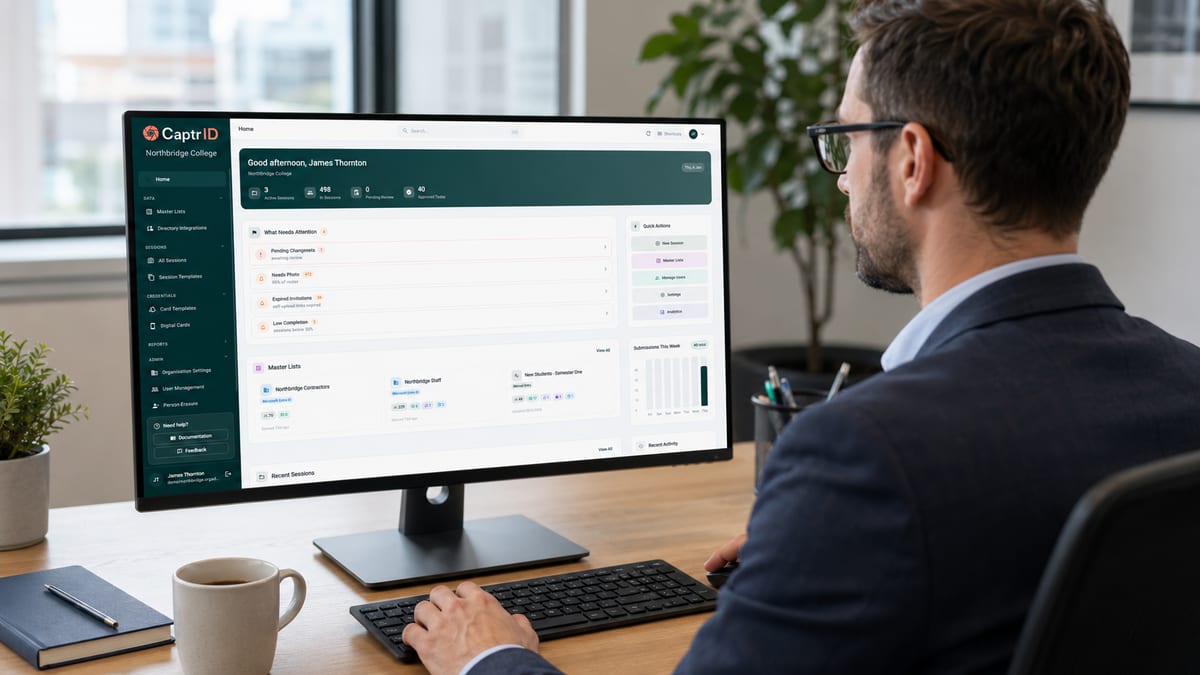
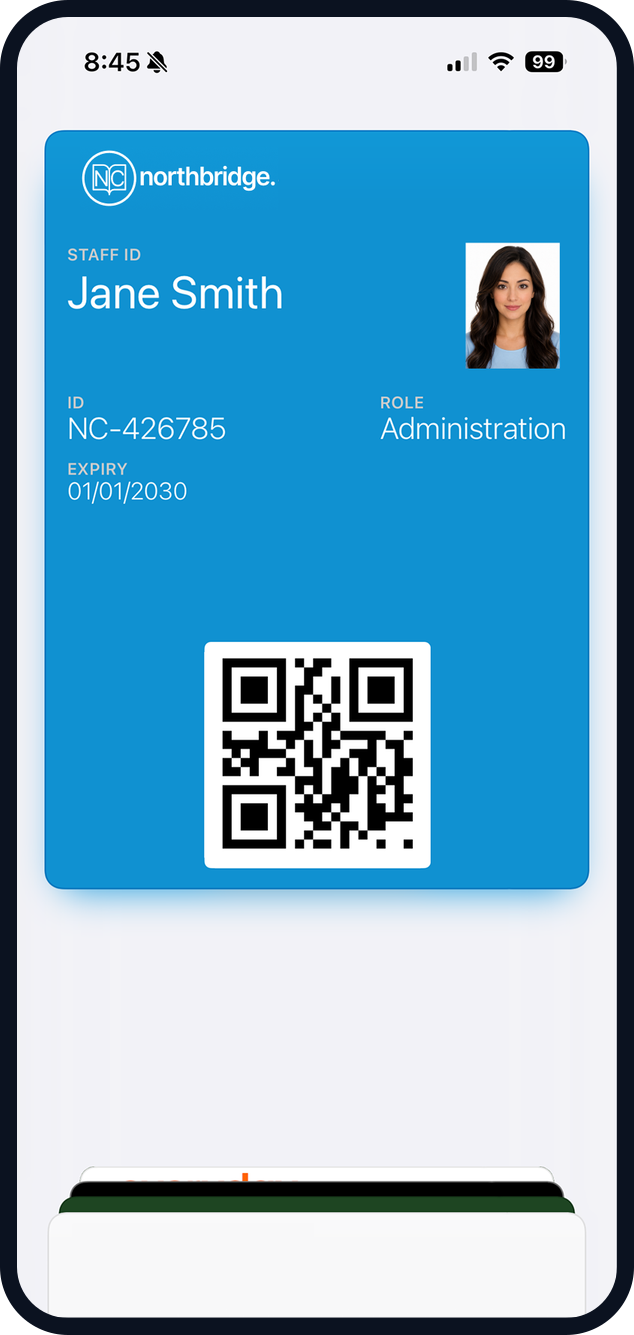
Replace desktop ID card software with one browser-based platform
If you're issuing staff IDs from CardExchange, Asure ID, Zebra CardStudio, ID Works, CardPresso, or the software that shipped with your Zebra, Evolis, Magicard, or HID Fargo printer, you know the routine: one desktop machine, one person who knows how to run it, software last updated years ago. CaptrID is the same job — capture staff photos, design ID cards, print them, and issue digital IDs to Apple and Google Wallet — but in any browser, on any laptop. Your existing card printer, card art, and staff roster all carry across.
Built to plug into the tools you already use








Microsoft Entra ID, Okta, SCIM 2.0, Airtable, OneDrive, Google Drive™, Apple Wallet, Google Wallet are trademarks of their respective owners.
Sound familiar?
Here is what changes the moment your HR, IT, and reception teams share one platform.
Chasing staff for photos through email, Teams, and follow-up nudges that drag on for weeks.
Send one self-upload link. Each person uploads from any device — face detection and crop guides keep approvals fast.
Re-keying employee data between your HR system, badge software, and the card printer.
One sync from Microsoft Entra ID, Okta, or any SCIM 2.0 provider. The same staff roster powers printed ID cards, wallet IDs, and your print queue.
Stuck with desktop ID card software one person knows how to run, last updated years ago.
Cloud-based, in any browser. Whoever issues staff ID cards today keeps doing it — from any laptop, anywhere, on Mac, Windows, or Chromebook.
Wanting to issue digital IDs alongside printed cards, but no simple tool does both well.
One platform for printed ID cards and digital IDs in Apple & Google Wallet — from the same staff record, the same template.
From roster to issued ID in one platform
Three steps to an approved photo — then issue it as a printed card, a wallet pass, or both. Browser-only, nothing to install.
- Step 1
Sync your staff list
Microsoft Entra ID, Okta, SCIM 2.0, or CSV. Roster stays current without re-importing.
- Step 2
Capture photos
On-site sessions, self-upload links for remote staff, or bulk import from OneDrive / Google Drive.
- Step 3
Approve in one queue
Review submissions with quality checks and structured rejection reasons, then bulk-approve when ready.
-
Printed card
Print to your existing card printer — Zebra, Magicard, Evolis, Fargo.
-
Wallet pass
Push to Apple & Google Wallet. No app for staff to install.
Everything you need to issue IDs
Purpose-built for staff credential operations
Photo capture & approval
On-site sessions, self-upload links, and bulk import. Review and approve in one queue with structured rejection reasons.
Visual card designer
Design both sides of staff ID cards in your browser with a live data preview. Map roster fields to template variables.
Apple & Google Wallet IDs
Issue digital staff IDs to wallets with QR verification. Expire and revoke instantly. No app to install.
Directory sync
Microsoft Entra ID, Okta, or any SCIM 2.0 provider. Incremental sync keeps your roster current automatically.
Plans for organisations of any size
14-day free trial on every plan. No card required.
Starter
Up to 500 people
per month, billed annually
Photo capture, card design, print export
Pro
Up to 2,500 people
per month, billed annually
Adds Entra sync, 1 wallet template, cloud photo import
Business
Up to 10,000 people
per month, billed annually
Adds Okta/SCIM provisioning, unlimited wallet templates
Issuing student IDs for an Australian school? See our school ID software →
Running an RTO with rolling enrolment, USI, or CRICOS students? See our RTO ID software →
Common questions
How long does setup take?
Do I need a card printer?
Can I sync from Microsoft Entra or Okta?
Is my data hosted in Australia?
Can I migrate from Asure ID, CardExchange, or other desktop badge software?
What if some staff are remote?
Ready to ship IDs your team will actually use?
Start your 14-day free Pro trial, or book a demo and we will walk through your setup.
No credit card required · From A$49/mo billed annually · Cancel anytime